SaaS Idea can still fail if it solves a weak problem, targets the wrong customer, takes too long to reach the market, or makes the product difficult to adopt. Conversely, a relatively simple product can become a strong SaaS business when it solves an expensive, recurring problem for a clearly defined group of customers.
That is why learning how to build a SaaS product from scratch requires more than learning software development. You need to validate the problem, understand the customer, define a focused MVP, make sensible technology decisions, build securely, establish a workable pricing model, and create a plan for acquiring and retaining customers.
This guide walks through the complete SaaS development process, from the initial idea to launch and ongoing growth. It also covers technology stacks, SaaS architecture, security, subscription billing, costs, timelines, metrics, and common mistakes.
The goal is not to build the biggest product possible. It is to build the smallest reliable product that solves a meaningful problem well enough for real customers to pay for it.
What Is a SaaS Product?
Software as a Service, or SaaS, is software that customers access as an ongoing service rather than buying and installing a permanent copy.
Most SaaS products are delivered through the internet, commonly through a web browser or mobile application. The provider operates the underlying infrastructure, releases updates, maintains the application, and manages the service.
A typical SaaS business may charge customers:
- Monthly subscriptions
- Annual subscriptions
- Per-user or per-seat fees
- Usage-based fees
- Tiered plans
- A combination of subscription and usage charges
This differs from traditional packaged software, where customers might purchase a license and install a particular version on their own computers or servers.
For example, imagine a SaaS product that helps small accounting firms collect documents from clients.
Instead of installing software at every accounting firm, the provider hosts the application centrally. An accounting firm creates an account, invites employees, uploads or requests documents, and pays a recurring subscription. The SaaS provider handles updates, hosting, backups, authentication, and the application’s underlying infrastructure.
The business model is attractive because revenue can recur as long as customers continue receiving enough value to justify the subscription.
But recurring revenue also creates recurring responsibility: customers expect the product to remain available, secure, useful, and supported.
How Does a SaaS Product Work?
SaaS application can look simple to a customer while containing several interconnected technical systems underneath.
A simplified architecture looks like this:
User → Frontend → Backend/API → Database → Cloud infrastructure
Alongside that core path are authentication, billing, analytics, monitoring, email, file storage, and other integrations.
1. User interface
The frontend is what customers see and interact with:
- Login and signup
- Dashboards
- Forms
- Settings
- Reports
- Navigation
- Notifications
Common frontend technologies include React, Next.js, Vue, and similar frameworks.
2. Application/backend
The backend contains business logic.
For example, when a customer creates an invoice, the backend may:
- Verify that the user is authenticated.
- Determine which organization they belong to.
- Check whether they have permission to create invoices.
- Validate the submitted information.
- Store the invoice.
- Trigger an email or notification.
- Record an analytics event.
3. Database
The database stores information such as:
- Users
- Organizations or tenants
- Subscriptions
- Customers
- Products
- Transactions
- Application records
- Audit information
PostgreSQL and MySQL are common relational choices, while MongoDB is an example of a document-oriented database.
4. APIs
An API allows different parts of the system—and sometimes external applications—to communicate.
Your frontend might call:
POST /api/projects
The backend receives the request, validates it, applies authorization rules, writes the data to the database, and returns a response.
5. Authentication and authorization
Authentication answers:
Who are you?
Authorization answers:
What are you allowed to do?
Those are different problems and both matter.
A SaaS application might allow an organization owner to manage billing while ordinary employees can only view or edit particular records.
6. Cloud infrastructure
Cloud infrastructure provides the computing, storage, networking, databases, queues, monitoring, and other services required to operate the application.
There is no universally correct SaaS architecture. Requirements such as customer segment, security, compliance, expected workload, and budget should influence the architecture. AWS’s SaaS guidance, for example, explicitly emphasizes that SaaS architecture is not one-size-fits-all.
7. Billing
The billing system manages:
- Plans
- Trials
- Subscriptions
- Payment methods
- Invoices
- Renewals
- Failed payments
- Upgrades
- Downgrades
- Cancellations
8. Analytics and monitoring
Analytics tells you how customers use the product.
Monitoring tells you whether the product is working.
You need both.
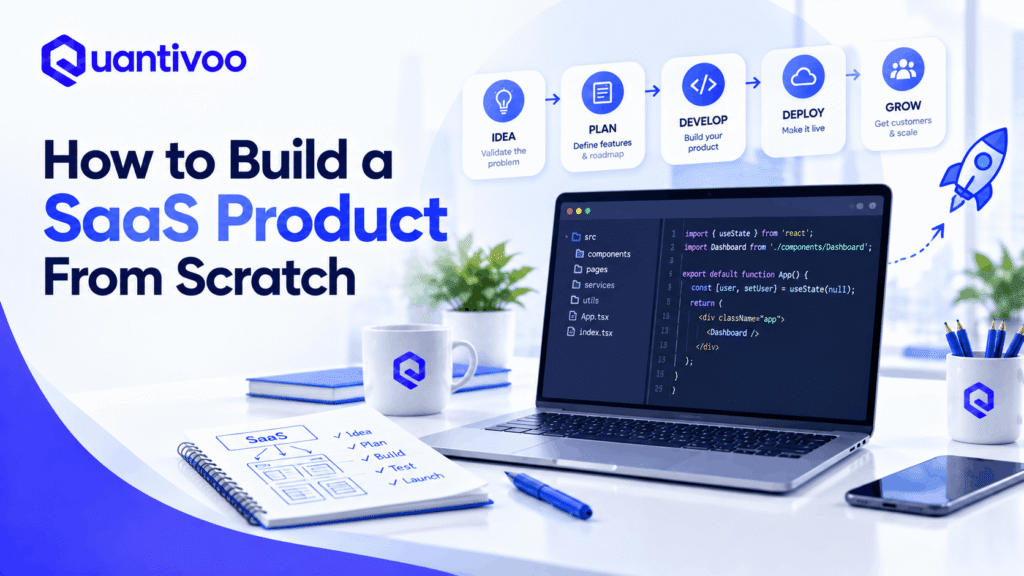
How to Build a SaaS Product From Scratch: 12-Step Process
1. Identify a Real Problem
The first mistake many SaaS founders make is starting with a feature instead of a problem.
“I want to build an AI dashboard.”
That is not yet a strong SaaS opportunity.
A better starting point is:
“Operations managers spend several hours each week manually combining data from three systems to prepare a report.”
Now you have a problem to investigate.
Look for problems that are:
- Frequent
- Painful
- Expensive
- Time-consuming
- Error-prone
- Currently solved manually
- Already costing the customer money
- Important enough that someone has authority or budget to address them
One useful test is:
Is this a problem people actively want solved, or simply something they say would be nice to have?
There is a major difference.
People will often compliment an idea during an interview:
“That sounds really useful.”
That is weak evidence.
Stronger evidence includes:
- They already pay for another solution.
- They spend significant time solving the problem manually.
- They ask when the product will be available.
- They agree to a pilot.
- They provide data for testing.
- They introduce you to the person who controls the budget.
- They are willing to pay.
A practical starting exercise
Interview potential customers about their current behavior, not your proposed solution.
Ask:
- How do you currently handle this?
- How often does it happen?
- What is frustrating about the current process?
- What does it cost in time or money?
- What tools are you currently using?
- What have you tried?
- What happens if the problem is not solved?
Customer interviews are most useful when they uncover reality rather than seek validation for an idea you already love.
2. Define Your Target Customer
“Small businesses” is usually too broad.
“Everyone who needs project management” is even worse.
A SaaS product becomes easier to design, market, price, and sell when the initial customer segment is specific.
Create an Ideal Customer Profile (ICP) covering:
- Industry
- Company size
- Geography, if relevant
- Job role
- Responsibilities
- Budget
- Technical sophistication
- Existing tools
- Main pain points
- Buying process
- Urgency
Example ICP
Suppose you are building appointment software.
Instead of:
Small businesses
Start with:
Independent dental clinics with 3–15 staff members that currently manage appointments through phone calls, spreadsheets, and generic calendar tools.
That specificity helps answer important product questions.
Should you build:
- Staff scheduling?
- Automated appointment reminders?
- Online booking?
- Insurance workflows?
- Multi-location management?
The ICP provides context for deciding.
It also makes marketing much more precise.
3. Validate the SaaS Idea
SaaS product validation should happen before substantial development.
You do not need absolute certainty. You need enough evidence to justify the next investment of time and money.
Useful validation methods include:
Customer interviews
Speak with potential users about their existing workflow.
Landing page
Create a page explaining:
- The problem
- Your proposed solution
- Who it is for
- The expected benefit
- A call to action
Measure meaningful behavior rather than page views alone.
Waitlist
Ask interested users to leave their email address.
Useful, but weaker than payment or actual product usage.
Prototype
A clickable prototype can test workflows before engineering begins.
Pre-sales
Potentially the strongest early signal.
If appropriate, ask whether a customer would pay for the proposed solution.
Concierge MVP
Instead of automating everything, manually deliver the result.
For example, suppose your SaaS idea automatically generates weekly business reports. Initially, you could collect the customer’s data and manually produce the report.
If customers repeatedly value the result, you have evidence that automation may be worth building.
Validation checklist
Before building a substantial MVP, ask:
- Have I spoken with real potential customers?
- Can I clearly describe the problem?
- Does the problem happen frequently?
- Are customers already spending money or time addressing it?
- Have I identified existing alternatives?
- Have potential users shown meaningful interest?
- Can I explain who the first customer segment is?
- Do I know what outcome customers actually want?
- Have I tested the riskiest assumption?
Do not confuse enthusiasm with demand.
4. Research Competitors
Competition is not automatically bad.
In many cases, competitors demonstrate that customers already recognize the problem and spend money solving it.
Research:
- Direct competitors
- Indirect competitors
- Pricing
- Features
- Target customers
- Positioning
- Onboarding
- Product reviews
- Customer complaints
- Integrations
- Strengths
- Weaknesses
Study negative reviews
Negative reviews can be particularly valuable.
Look for repeated complaints such as:
“Too complicated.”
“Reporting is limited.”
“Customer support is slow.”
“It doesn’t integrate with X.”
“The mobile experience is poor.”
A single complaint may not matter.
Twenty customers describing essentially the same problem may reveal an opportunity.
Create a simple competitor matrix:
| Factor | Competitor A | Competitor B | Your Product |
|---|---|---|---|
| Target customer | Broad | SMB | Specific niche |
| Core workflow | Strong | Moderate | Strong |
| Pricing | High | Low | TBD |
| Integration X | Yes | No | Planned |
| Ease of use | Moderate | Strong | Core differentiator |
Do not try to beat competitors at everything.
Find a specific reason to choose you.
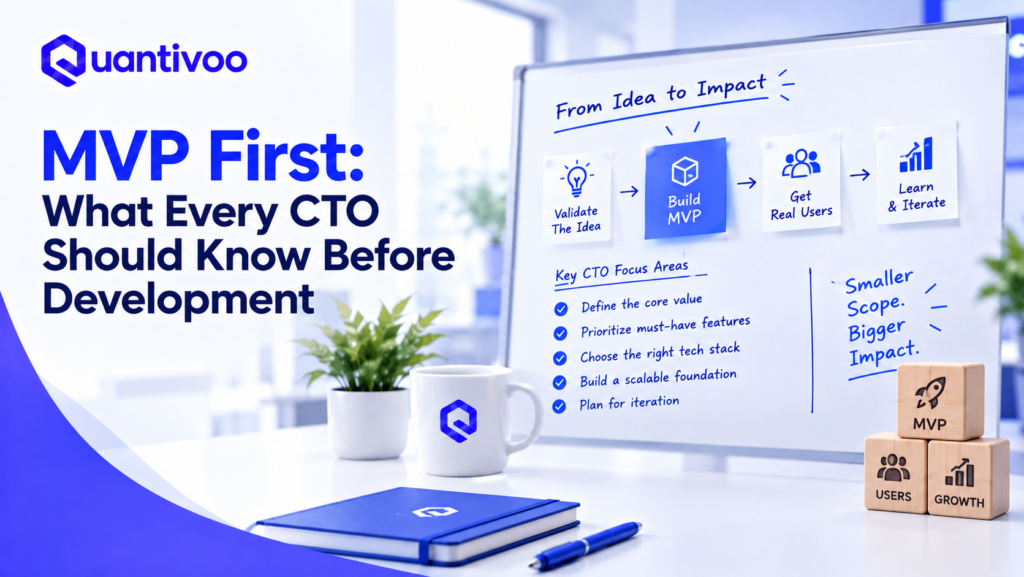
5. Define the MVP
An MVP—or minimum viable product—is the smallest product capable of delivering the core customer outcome and generating useful learning.
It does not mean:
- Broken software
- Poor design
- Missing essential functionality
- An unstable application
- A collection of unfinished features
Suppose your hypothetical SaaS idea has 15 possible features:
- User accounts
- Team management
- Dashboard
- Reporting
- Email notifications
- Mobile app
- Slack integration
- Calendar integration
- AI assistant
- Custom branding
- Advanced permissions
- API
- Exporting
- Billing
- Audit logs
Your MVP might only require:
- User accounts
- Core workflow
- Basic dashboard
- Billing
The other features can wait.
A useful prioritization framework
Must-have: Without it, the core problem cannot be solved.
Should-have: Valuable, but the first release can work without it.
Nice-to-have: Useful eventually, but not important enough to delay validation.
Your goal is not to maximize the number of features shipped.
Your goal is to maximize learning per unit of development effort.
6. Create Product Requirements
Before development begins, convert the product idea into something a team can build and test.
Document:
- User stories
- Functional requirements
- Non-functional requirements
- User flows
- Acceptance criteria
- Security requirements
- Analytics events
- Integration requirements
- Technical constraints
Example user story
As a clinic administrator, I want to create an appointment for a patient so that the patient’s booking is recorded and the staff can see it on the schedule.
Acceptance criteria might include:
- Administrator can select a patient.
- Administrator can select an available time.
- The system prevents conflicting bookings.
- The appointment appears on the calendar.
- The appointment is saved to the correct organization.
- An appropriate confirmation is displayed.
This level of detail reduces ambiguity without attempting to specify every implementation detail prematurely.
7. Design the UX and UI
A SaaS application can be technically excellent and still fail because users cannot figure out what to do.
Start with user flows, not colors.
For example:
Sign up → Create organization → Import data → Complete first task → See result → Invite teammate
That sequence is often more important than the visual design of the dashboard.
Create:
- User flows
- Wireframes
- Interactive prototype
- Visual design
- Responsive layouts
- Design system/components
Think about more than the happy path.
Design:
- Empty states
- Loading states
- Error states
- Permission errors
- Failed payments
- First-time experiences
- Confirmation messages
- Undo/recovery where appropriate
- Mobile layouts
- Accessibility
Pay particular attention to onboarding
A new user should quickly understand:
- What the product does
- What they should do first
- What value they will receive
- How to complete the first meaningful task
A complicated onboarding sequence can delay the moment when the customer experiences value.
8. Choose the Technology Stack
Your SaaS technology stack should serve the product—not the other way around.
Frontend
Common options include:
- React
- Next.js
- Vue
Backend
Possible choices include:
- Node.js
- Python
- Ruby
- PHP
- Java
- Go
Database
Common options include:
- PostgreSQL
- MySQL
- MongoDB
Infrastructure
You might use:
- AWS
- Google Cloud
- Microsoft Azure
- Managed cloud platforms
- Specialized hosting providers
There is no universally best stack.
A better decision framework is:
| Factor | Question |
|---|---|
| Team | What does the team already know? |
| Speed | Can we build quickly with it? |
| Hiring | Can we find developers later? |
| Ecosystem | Are good libraries and integrations available? |
| Security | Can we operate it safely? |
| Scale | Can it support foreseeable growth? |
| Cost | Does it fit our current budget? |
| Complexity | Does it introduce unnecessary infrastructure? |
For an early-stage startup, familiarity and development speed can be more valuable than selecting the theoretically most sophisticated architecture.
Don’t over-engineer the MVP
You probably do not need:
- 20 microservices
- Kubernetes
- Multiple databases
- A complex event-driven architecture
- Custom infrastructure for every component
A well-structured monolith can be an excellent starting point.
You can split components later when real requirements justify doing so.
9. Build the SaaS Product
Once the requirements and architecture are clear, development can begin.
A typical workflow looks like:
1. Set up repositories
Establish source control, branching conventions, code review, and environments.
2. Configure development environments
Developers should be able to run the application consistently.
3. Build database models
Define users, organizations, subscriptions, application entities, relationships, indexes, and appropriate constraints.
4. Develop backend APIs
Build the business logic and API contracts required by the application.
5. Build the frontend
Connect the interface to the backend and implement the primary user flows.
6. Implement authentication
Add signup, login, password recovery, sessions/tokens, email verification where appropriate, and account management.
7. Integrate third-party services
Examples include:
- File storage
- Search
- Analytics
- CRM
- Communication platforms
- AI services
- Payment providers
8. Add billing
Connect plans, subscriptions, invoices, payment events, and account entitlements.
9. Add analytics
Track events that answer product questions.
For example:
- Account created
- Onboarding completed
- First project created
- Feature used
- Trial started
- Subscription purchased
- Subscription cancelled
10. Configure deployment
Set up staging and production environments, automated deployments, environment variables, monitoring, backups, and rollback procedures.
Build in small increments
Avoid spending three months building the entire application before anyone uses it.
Instead:
Build → test → deploy → observe → learn → improve
That feedback loop is one of the most important differences between building software and building a SaaS business.
10. Implement Security and Data Protection
Security should not be a final checklist immediately before launch.
It should influence architecture and development from the beginning.
At minimum, consider:
- HTTPS
- Secure password hashing
- Strong authentication
- Authorization
- Input validation
- Rate limiting
- Secure API design
- Encryption where appropriate
- Secrets management
- Database backups
- Logging
- Monitoring
- Dependency updates
- Least-privilege access
Authentication is not authorization
Suppose Alice belongs to Company A and Bob belongs to Company B.
Alice being authenticated does not mean she should be able to request:
GET /companies/B/customer-data
Your application must enforce authorization and tenant isolation.
In multi-tenant SaaS, tenant context should be treated as a fundamental part of identity and authorization. AWS’s SaaS guidance specifically recommends binding user identity to tenant identity and ensuring tenant resources are protected from cross-tenant access.
This is particularly important when multiple organizations share application infrastructure.
Plan for tenant isolation
A SaaS database might use a shared database with a tenant_id on records, separate databases for certain customers, or another architecture.
The right approach depends on:
- Security requirements
- Customer expectations
- Compliance requirements
- Performance
- Cost
- Operational complexity
AWS describes pooled, siloed, and hybrid “bridge” approaches rather than prescribing a single architecture.
The important principle is that one customer must never accidentally gain access to another customer’s data.
Also plan for:
- Secure backups
- Recovery procedures
- Audit logging where appropriate
- Incident response
- Dependency patching
- Administrative access controls
Security requirements vary significantly by product and industry, so treat regulatory or compliance obligations as product-specific requirements rather than assumptions.
11. Add Payments and Subscription Management
A SaaS business needs more than a “Pay Now” button.
Your subscription system may need to handle:
- Free trials
- Monthly plans
- Annual plans
- Per-seat pricing
- Tiered pricing
- Usage-based pricing
- Upgrades
- Downgrades
- Failed payments
- Invoices
- Refunds
- Cancellation
- Renewal
- Tax handling
- Customer entitlements
Choose pricing around value
Common SaaS pricing models include:
Flat-rate: One plan at one price.
Tiered: Several plans with different capabilities or limits.
Per-seat: Price increases with the number of users.
Usage-based: Price depends on consumption.
Hybrid: A subscription plus usage or additional seats.
Do not choose a pricing model simply because another SaaS company uses it.
Ask:
What variable best reflects the value the customer receives and the cost we incur?
If customers receive value from processing transactions, usage-based pricing might make sense.
If value increases primarily with team size, per-seat pricing may be more natural.
Treat billing as critical infrastructure
Test:
- Successful payment
- Failed payment
- Expired card
- Duplicate webhook
- Subscription cancellation
- Upgrade
- Downgrade
- Trial expiration
- Refund
- Invoice generation
- Loss of entitlement
Payment systems should be tested as carefully as core product workflows.
12. Test, Launch, and Improve
Before launch, test both the software and the customer experience.
Functional testing
Does each important feature behave correctly?
Usability testing
Can a new user complete important tasks without being coached?
Security testing
Can users access data or actions they should not?
Performance testing
Does the system remain responsive under expected load?
Cross-browser testing
Does the application work across the browsers and devices your customers actually use?
Payment testing
Do subscriptions, renewals, failures, cancellations, and entitlements behave correctly?
Onboarding testing
Can a new customer reach the product’s “aha” moment?
Error handling
What happens when:
- An API fails?
- A payment fails?
- A third-party service is unavailable?
- A user submits invalid information?
- A database operation times out?
Launch gradually
A controlled beta is often better than a huge public launch.
Start with a small group of customers.
Watch them use the product.
Talk to them.
Fix major problems.
Then expand acquisition.
This approach reduces the risk of discovering a fundamental onboarding or reliability problem only after hundreds of people arrive.
How Much Does It Cost to Build a SaaS Product?
There is no honest universal price for building a SaaS application.
A simple internal workflow product and a regulated, multi-tenant enterprise platform can both be called “SaaS” while having dramatically different development requirements.
The main cost drivers include:
- Product complexity
- Number of features
- UX/UI requirements
- Development team
- Geographic location
- Integrations
- Infrastructure
- Security requirements
- Compliance requirements
- Data migration
- QA
- Maintenance
A useful budget model is to separate costs into categories.
| Cost category | What it covers |
|---|---|
| Discovery | Research, requirements, validation |
| UX/UI | Flows, wireframes, prototypes, visual design |
| Development | Frontend, backend, database, integrations |
| QA | Functional, regression, browser and device testing |
| Security | Reviews, testing, hardening |
| Infrastructure | Hosting, databases, storage, monitoring |
| Third-party services | Email, payments, analytics, APIs |
| Maintenance | Bug fixes, updates, infrastructure, support |
| Marketing | Website, content, acquisition and sales |
For a simple MVP, costs can potentially remain relatively contained by using a small team, managed infrastructure, proven frameworks, and a narrow feature set.
A complex B2B SaaS product with advanced integrations, enterprise permissions, data migration, compliance requirements, and sophisticated infrastructure can require a much larger investment.
The most useful question is not “What does SaaS development cost?” but “What is the smallest credible product that can test my business hypothesis?”
That question can dramatically change the budget.
How Long Does It Take to Build a SaaS Product?
A SaaS development timeline is similarly variable.
A typical sequence is:
Validation → Research → Product planning → UX/UI → MVP development → Testing → Beta → Iteration
A relatively simple SaaS MVP may be developed much faster than an enterprise platform with extensive integrations and compliance requirements.
Timeline depends on:
- Scope
- Number of developers
- Technical complexity
- Design complexity
- Integrations
- Feedback cycles
- Availability of requirements
- QA depth
- Security requirements
- Customer-specific requirements
Avoid agencies or developers that promise a precise launch date before understanding the product.
A better plan breaks development into milestones.
For example:
Milestone 1: Authentication + organization setup
Milestone 2: Core workflow
Milestone 3: Billing
Milestone 4: Onboarding + analytics
Milestone 5: QA + security review
Milestone 6: Private beta
This creates opportunities to reassess scope rather than discovering at the end that the project is behind schedule.
The best way to build a SaaS product from scratch is not to begin with the technology stack or a long feature list.
Start with a real problem and a specific customer.
Then:
Validate → Research → Define the MVP → Design → Build → Secure → Test → Launch → Learn → Improve
Keep the first version focused. Don’t build features customers haven’t asked for. Treat authentication, billing, security, analytics, and reliability as important product infrastructure—not tasks to postpone indefinitely.
Most importantly, launch early enough to learn from real users.
A SaaS product becomes stronger through repeated cycles of customer feedback, product improvement, measurement, and iteration. The goal of your first version isn’t to build everything. It’s to build enough of the right thing to discover whether customers genuinely value it.
Make the next move measurable
Have a digital challenge behind this question?
We can help connect the strategy, experience and execution so the work leads somewhere useful.
Discuss your project